
How to Promote a Blog
This Post May Contain Affiliate Links. Please Read Our Disclosure Policy.
When I first decided I wanted to start blogging, I thought that I would write and take fun pictures relevant to my topic, and the masses would come. Funny notion, huh? I was a little naive at the amount of work it takes to actually put your content in front of the eyes of the people you want to see it. If you are new to blogging, chances are you are wondering what to do once you’ve hit that magic “publish” button and how to promote a blog.
I tend to get a lot of questions about this topic and this is a reappearing question asked in blogger forums, so I’m sharing the process I go through with each blog post. I’ve also created a checklist that will show you how to promote a blog and will hopefully give you a good visual (ie. checklist) to ensure you are doing all you can do to get your content in front of the masses. Afterall, you’ve done the hard work of creating an idea, writing, editing, proofreading, taking and editing photos, and all the techy things that go on in the background. We want to make sure all that hard work is put to good use!

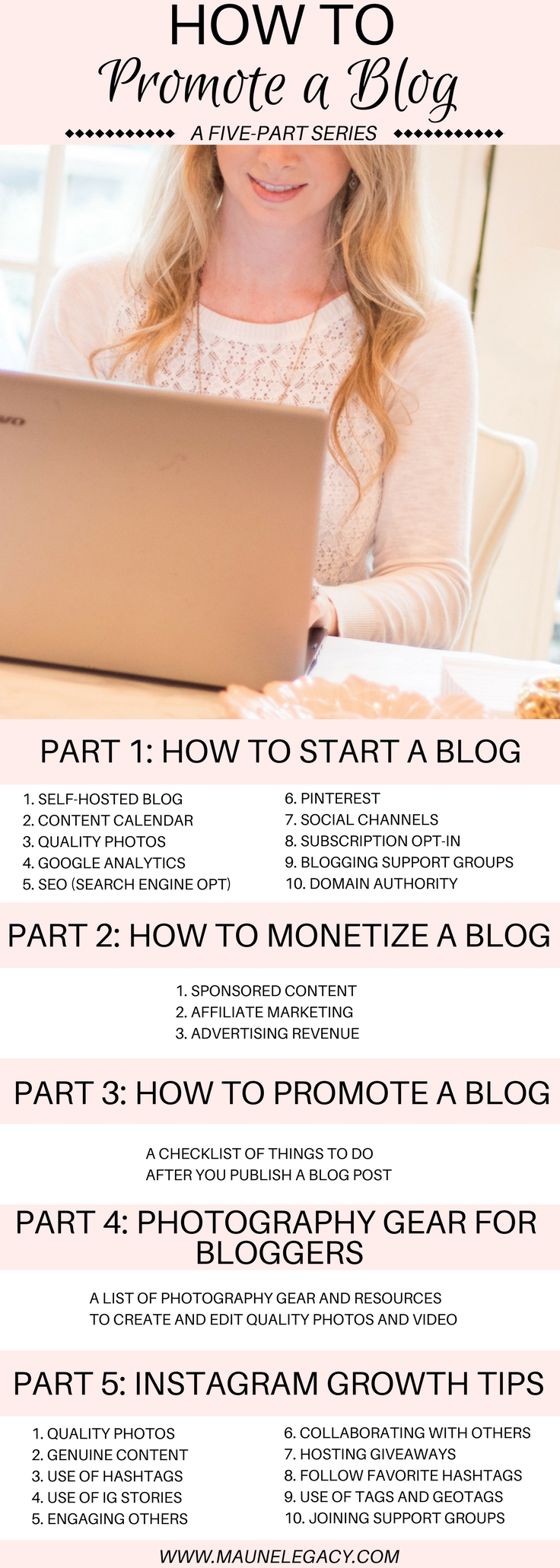
This is part 3 of 5 of my Beginner Blogging Series. This how to promote a blog post contains affiliate links. All thoughts and opinions are my own. See our disclosure for more information.
- How to Start a Blog
- How to Monetize a Blog
- How to Promote A Blog
- Photography Gear for Bloggers
- Instagram Growth Tips
So let’s dive into today’s topic: How to Promote a Blog. I’ve divided this into two sections, things to do before you hit publish, and things to do after you publish because there are certain things necessary on the front end that will benefit your ability for your content to be seen on the backend.
BEFORE YOU PUBLISH A BLOG POST
OPTIMIZE YOUR POST (SEO)
You have to optimize your blog post in order for it to be seen organically, one of the keys to promoting your blog. That means utilizing the most common SEO best practices. You can find unlimited training on this subject, but here are a few things I do for each blog post that any beginner can implement:
Download the Yoast Plugin
Use a long-tail keyword
Meta title & meta description
Keyword use in photos (both in title and alt description)
Keyword in first paragraph and throughout text where possible
CONTENT
You can’t effectively promote a blog post that doesn’t have the fundamental elements of good content. Stay true to who you are, and your passions. Be authentic, but don’t be afraid to be bold about your topics or confident in your knowledge, research or expertise. Consider your audience, but don’t post for the sake of your audience. The audience that relates to you, will follow you and you will get the best response from those who relate to the real you! Also don’t get lost in comparing yourself to other bloggers, their blog content or their journey. I like to lovingly remind people to stay in their own lane (and I’ll happily stay in mine). If you keep these things in mind, blogging can be so much fun!
Questions to ask yourself: Do you have at least 500 words? Even better 1000 words? Have you proofread and then proofread again? I often still find mistakes after proofreading multiple times on multiple devices (there are likely mistakes in this post!). Did you include internal and external links? Are all of your links working? Did you leave a call to action in your last paragraph? Did you include a disclosure in a highly visible place before any affiliate or sponsored link in your post? Did you use appropriate categories and tags? Do you have small paragraphs and headings of major sections? I wish I had known this best practice in the beginning. I’m currently going back through 50 posts to work on this.
QUALITY PHOTOS
Are your photos high resolution, crisp and clear? Are they watermarked (not required but important for copyright protection)? Are your photos at least 500 pixels wide? Did you create an eye-catching high-quality vertical pin? A lot of seasoned bloggers will have multiple pins per blog post (a goal of mine for 2018). Did you select a featured image? My new system for photos is to place the first photo after the first paragraph to help with my SEO (also going back through 50 blog posts to fix this!)
AFTER YOU PUBLISH A BLOG POST
The three primary drivers of my traffic are Pinterest, SEO and StumbleUpon. My regular viewers and social media are the next largest sources. So let’s discuss a few things in detail.
I have a blog board called Maune Legacy Blog. I share my pin directly from my blog to my blog board on Pinterest. I then repin that pin to all of my personal boards where applicable. Next, I share to the Pinterest Collaborative Boards I’m on. A collaborative board is a group of bloggers who have created a group board to help repin each other’s content so that content can have more reach. In order to become a member of a collaborative board, you need to have an invite from the admin which usually involves following them as well.
And finally, I add my pin to Tailwind – a scheduling service. I add my pins daily and the service pins them on behalf of me at key pinning times throughout the day. I pay monthly for Tailwind and it’s worth every penny! This service has increased my followers (100 new followers in a few weeks and still growing), greatly increased my repins, and has also increased traffic to my site. I also love that it includes analytics so I can see how my pins are doing which can help me be more strategic with my content. For a free month of this service, see here.
SOCIAL MEDIA
After I’ve handled Pinterest, I then prepare to share on my other social media channels which include Facebook, Twitter, and StumbleUpon. I also like to share my favorite blog post photo on Instagram directing my followers to see the link in my bio to read the latest post. I’ll also share in my Instagram Stories with a direct link (using the swipe up feature that is given to 10K+ accounts and verified accounts). The direct link is a great source of traffic to the blog. You can also share on BlogLovin and Google+. If you are in need of a scheduler for Twitter, TweetDeck and HootSuite are both great options. I’ll have more detailed information about utilizing each social platform in the future.
PAID PROMOTIONS
There are three ways to boost your posts through paid promotions on Pinterest, Instagram and Facebook. You can post with as little as $5 and it can be a great source of traffic to your post. I love that you can micro-target depending on a lot of different variables like gender, shopping preferences, location, hobbies etc. I have a small budget each month to boost my blog posts and I like to make sure I have at least one post boost running weekly.
ENGAGE WITH YOUR READERS
Be sure to respond to comments, follow up on any emails or other questions you have gotten on your social media shares. Utilize services such as MailChimp to get your blog post delivered directly to your subscribers.
ENGAGE WITH OTHER BLOGGERS
There are endless support groups you can find depending on your niche. You can share your blog post in these forums and your posts can be read, repinned, and reshared. This generates great traffic each month and increases my reach as others share my posts. I’ve found the blogging community to be so inviting and supportive, so find your tribe, love them well and support each other!
I’ve created a handy one-page checklist you can download and print to use as a reference, this is a great tool for those that love to check the boxes, and for those who don’t love to check the boxes! Ha! Sometimes you just need a list to keep you on track! Just fill in the information in the box below and you’ll have access to my checklist and other printables I have coming your way!
I hope you found this how to promote a blog post helpful. If you have more tips to add, please share in the comments below so others can learn from your ways as well! If you missed part 1 or 2 of this series, be sure to check out How to Start a Blog and How to Monetize a Blog. I would love for you to pin this for other new bloggers!



This series was so thorough and beneficial. Thank you so much!
I’m so glad it was! This makes my day!